
Alright, folks! As a supplier of wifi towers, I know firsthand how frustrating connection drops can be. It's like having a great party, and then suddenly the music cuts out. No fun at all! In this blog, I'm gonna share some tips on how to troubleshoot those pesky connection drops on a wifi tower.
Understanding the Basics
First things first, let's talk about what might be causing these connection drops. There are a bunch of factors that could be at play here, and it's important to understand the basics before we start diving into solutions.
Environmental Factors
One of the most common culprits is the environment. Things like weather conditions, interference from other electronic devices, and physical obstacles can all mess with your wifi signal. For example, heavy rain, snow, or even fog can weaken the signal, making it more likely to drop. Similarly, if there are other electronics nearby that operate on the same frequency as your wifi tower, they can cause interference and disrupt the connection.
Equipment Issues
Another possibility is that there's something wrong with the equipment itself. This could be anything from a faulty antenna to a damaged cable. If the antenna isn't properly aligned or is damaged, it won't be able to send or receive the signal effectively. And if there's a problem with the cable, it could be causing a loss of signal strength.
Network Overload
Sometimes, the problem isn't with the tower or the environment, but with the number of devices trying to connect to the network. If too many people are using the wifi at the same time, it can overload the network and cause connection drops. This is especially common in areas with a high population density, like apartment buildings or office complexes.


Troubleshooting Steps
Now that we have a better idea of what might be causing the connection drops, let's talk about how to fix them. Here are some steps you can take to troubleshoot the issue.
Check the Environment
The first thing you should do is take a look at the environment around the wifi tower. Make sure there are no physical obstacles blocking the signal, like trees or buildings. If there are, you might need to relocate the tower or adjust the antenna to get a better line of sight.
You should also check for any sources of interference. This could include other wifi networks, microwave ovens, or cordless phones. If you find any devices that are operating on the same frequency as your wifi tower, try turning them off or moving them away from the tower.
Inspect the Equipment
Next, it's time to take a look at the equipment itself. Start by checking the antenna to make sure it's properly aligned and in good condition. If it's not, you might need to adjust it or replace it.
You should also check the cables to make sure they're securely connected and not damaged. If you find any loose or damaged cables, replace them as soon as possible.
Monitor the Network
If you suspect that the network is overloaded, you can use a network monitoring tool to see how many devices are connected and how much bandwidth they're using. This will give you a better idea of whether or not the network is under too much stress.
If you find that the network is overloaded, you might need to upgrade the equipment or limit the number of devices that can connect to the network. You could also try using a different frequency or channel to reduce interference.
Update the Firmware
Finally, make sure that the firmware on your wifi tower is up to date. Manufacturers often release firmware updates to fix bugs and improve performance, so it's a good idea to check for updates regularly and install them as soon as they're available.
When to Call in the Professionals
Sometimes, despite your best efforts, you might not be able to fix the connection drops on your own. In these cases, it's time to call in the professionals. As a wifi tower supplier, I have a team of experts who are trained to diagnose and fix all kinds of wifi problems.
If you're experiencing persistent connection drops or if you're not sure what's causing the problem, don't hesitate to reach out to us. We'll send one of our technicians to your site to take a look at the tower and figure out what's going on.
Our Products
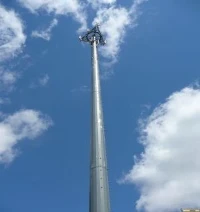
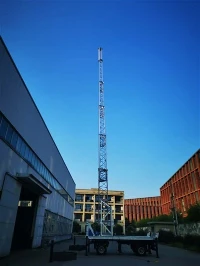
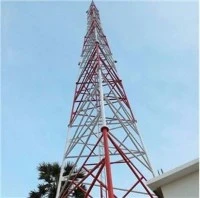
At our company, we offer a wide range of wifi towers to meet your needs. Whether you're looking for a Telecommunication Monopole Towers, a GSM Communication Monopole Tower, or a Monopole Towers 3d Model, we've got you covered.
Our towers are made from high-quality materials and are designed to provide reliable, high-speed wifi connectivity. We also offer installation and maintenance services to ensure that your tower is up and running smoothly.
Contact Us for Procurement
If you're interested in purchasing a wifi tower or if you have any questions about our products or services, don't hesitate to contact us. We'd love to hear from you and help you find the perfect solution for your needs.
References
- "WiFi Troubleshooting Guide." Federal Communications Commission.
- "How to Fix Wi-Fi Connection Drops." PCMag.
- "Troubleshooting Wireless Network Problems." Microsoft Support.