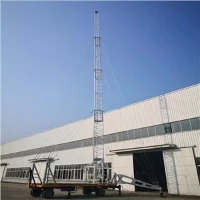



1. Basic composition of WiFi tower (router)
- WiFi tower usually refers to wireless router, which is mainly composed of the following parts:
- Antenna: used to transmit and receive radio wave signals. The number and type of antennas of the router will affect the coverage and strength of the signal. For example, more antennas may provide more stable connections at longer distances. This is because multiple antennas can enhance the effect of signal transmission through different polarization methods or signal processing technologies [[1]](https://www.wikihow.com/Set-up-a-Wireless-Network-(WiFi)-Connection).
- Processor and memory: responsible for processing various network data and running the router's operating system. The performance of the processor determines how many devices the router can handle at the same time and the efficiency of data transmission.
- Wireless chipset: This is the core component for realizing WiFi functions. It follows specific WiFi standards (such as 802.11ac, 802.11ax, etc.) and controls the frequency, modulation method and other parameters of radio waves to achieve wireless data transmission.
2. How WiFi towers work
1. Signal transmission
- When a wireless router is turned on, it first obtains network data from a wired network (such as a broadband modem connected via an Ethernet cable). Then, the wireless chipset converts this data into radio wave signals of a specific frequency. Currently, the common WiFi frequency bands are 2.4GHz and 5GHz.
- The signal propagation distance of the 2.4GHz band is longer, but the transmission speed is relatively slow and it is easily interfered with because many other devices (such as microwave ovens, cordless phones, etc.) also work in this frequency band. The signal transmission speed of the 5GHz band is fast, but the propagation distance is shorter and the ability to penetrate walls is weaker. However, since there are relatively few devices using this frequency band, there is less interference [[1]](https://www.wikihow.com/Set-up-a-Wireless-Network-(WiFi)-Connection).
- The antenna of the router transmits these radio wave signals to the surrounding space to form a wireless signal coverage area.
2. Signal reception and device connection
- When a wireless device (such as a mobile phone, computer, etc.) enters the wireless signal coverage area, the device's wireless network card will scan the signal emitted by the router.
- The device will display the available WiFi network name (SSID). After the user selects the WiFi network to connect to and enters the correct password (if a password is set), the device's wireless network card will establish a connection with the router.
- During the connection process, a series of authentication and protocol negotiations will be carried out between the device and the router to ensure the security and compatibility of data transmission.
3. Data transmission
- Once the connection is established, data can be transmitted between the device and the router. When the device sends data to the network (such as accessing a web page, sending an email, etc.), the device's wireless network card converts the data into a radio wave signal and sends it to the router.
- After receiving the signal, the router converts it back into network data and sends the data to the Internet or other devices in the local network through the wired network interface. Conversely, when the router receives data from the Internet or local network to send to a wireless device, similar conversion and transmission operations will be performed.
3. Factors affecting signal transmission and coverage of WiFi towers
- Power of the router: The greater the power, the wider the signal coverage is usually, but in some countries and regions, the transmission power of the router is limited to ensure that the electromagnetic radiation is within a safe range.
- Environmental factors:
- Obstacles can weaken WiFi signals, such as walls, metal objects, etc. Thick walls may significantly reduce signal strength, while metal objects may reflect or absorb signals.
- The surrounding electromagnetic environment will also affect the signal. In addition to the interference of other devices on the 2.4GHz frequency band mentioned above, if there are other powerful wireless signal sources nearby (such as other routers, base stations, etc.), they may also interfere with WiFi signals.
- Antenna characteristics: The gain, directivity and other characteristics of the antenna will affect the coverage and strength of the signal. A high-gain antenna can enhance the transmission distance of the signal in a certain direction, but may sacrifice the coverage in other directions. The omnidirectional antenna can evenly transmit signals in all directions around it, which is suitable for scenes such as homes or offices that require all-round coverage.